Hardware keyboards
Route Apple hardware-keyboard input into standard Unity keyboard controls without scene-specific glue.
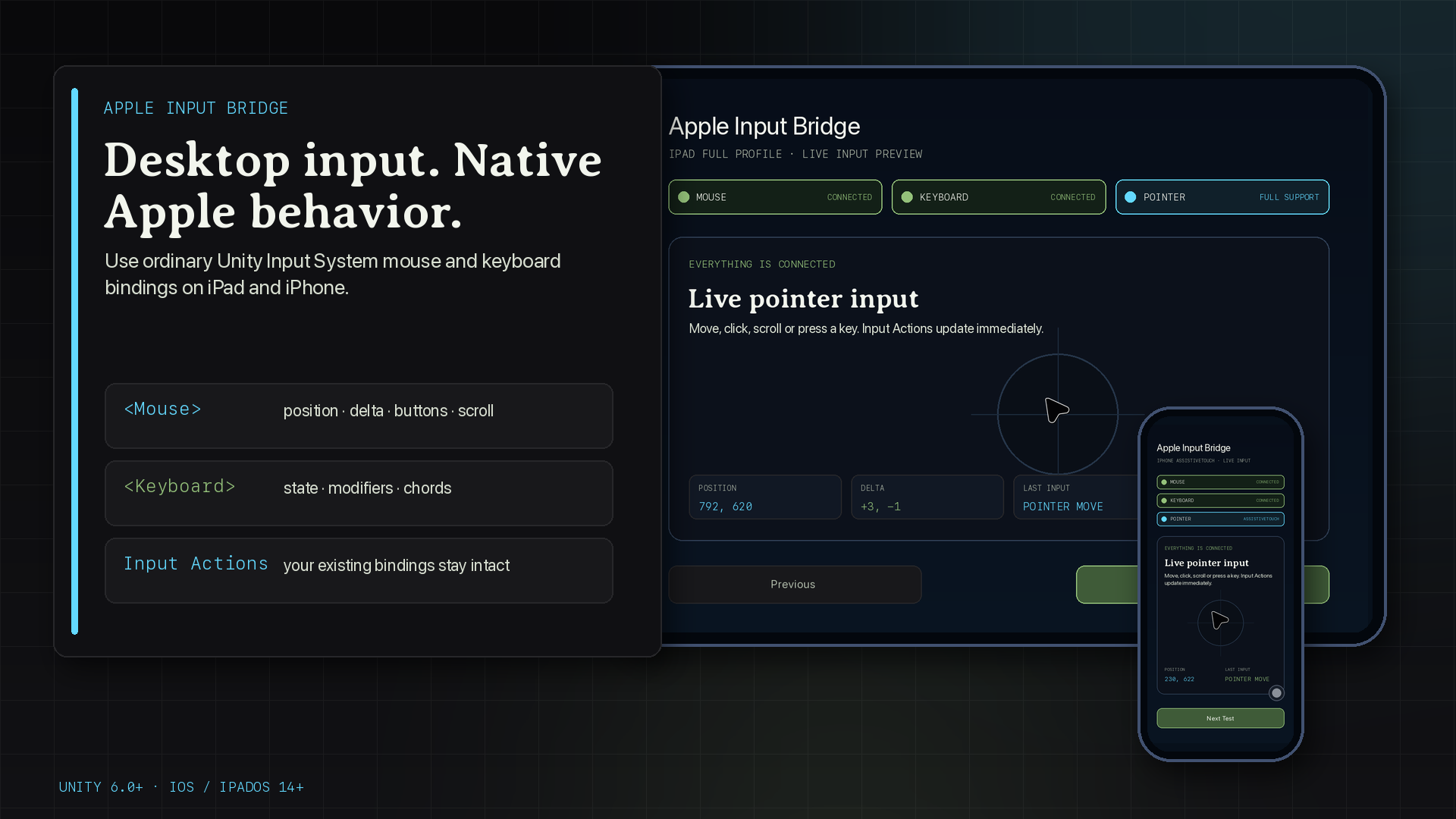
Apple Input Bridge
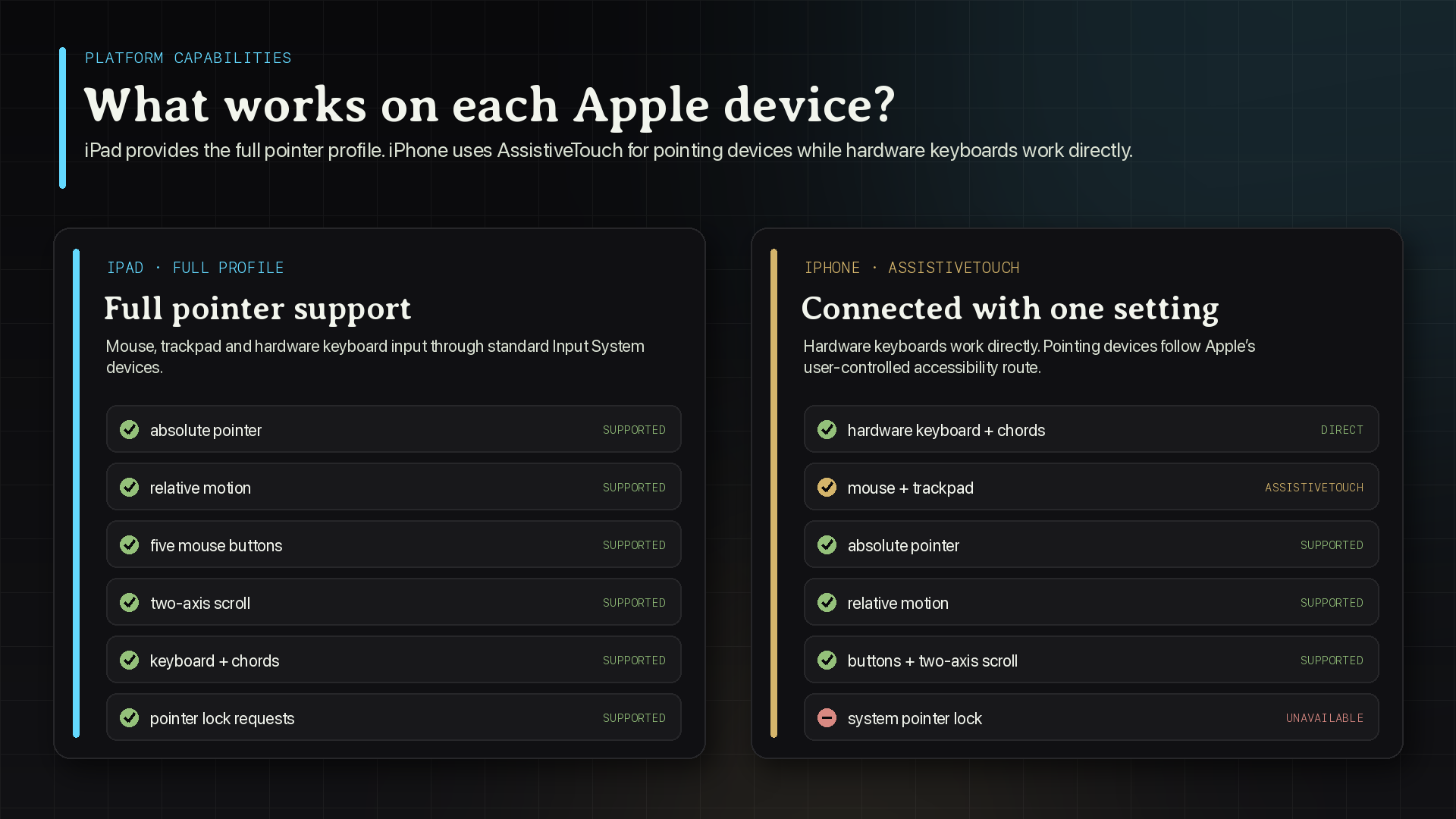
Available nowConnect Apple keyboards and full iPad pointer input to your existing Unity actions. iPhone mice and trackpads use AssistiveTouch.
Fab AvailableUnity Asset Store Available
Version 26.9.0
bridge the platform gap
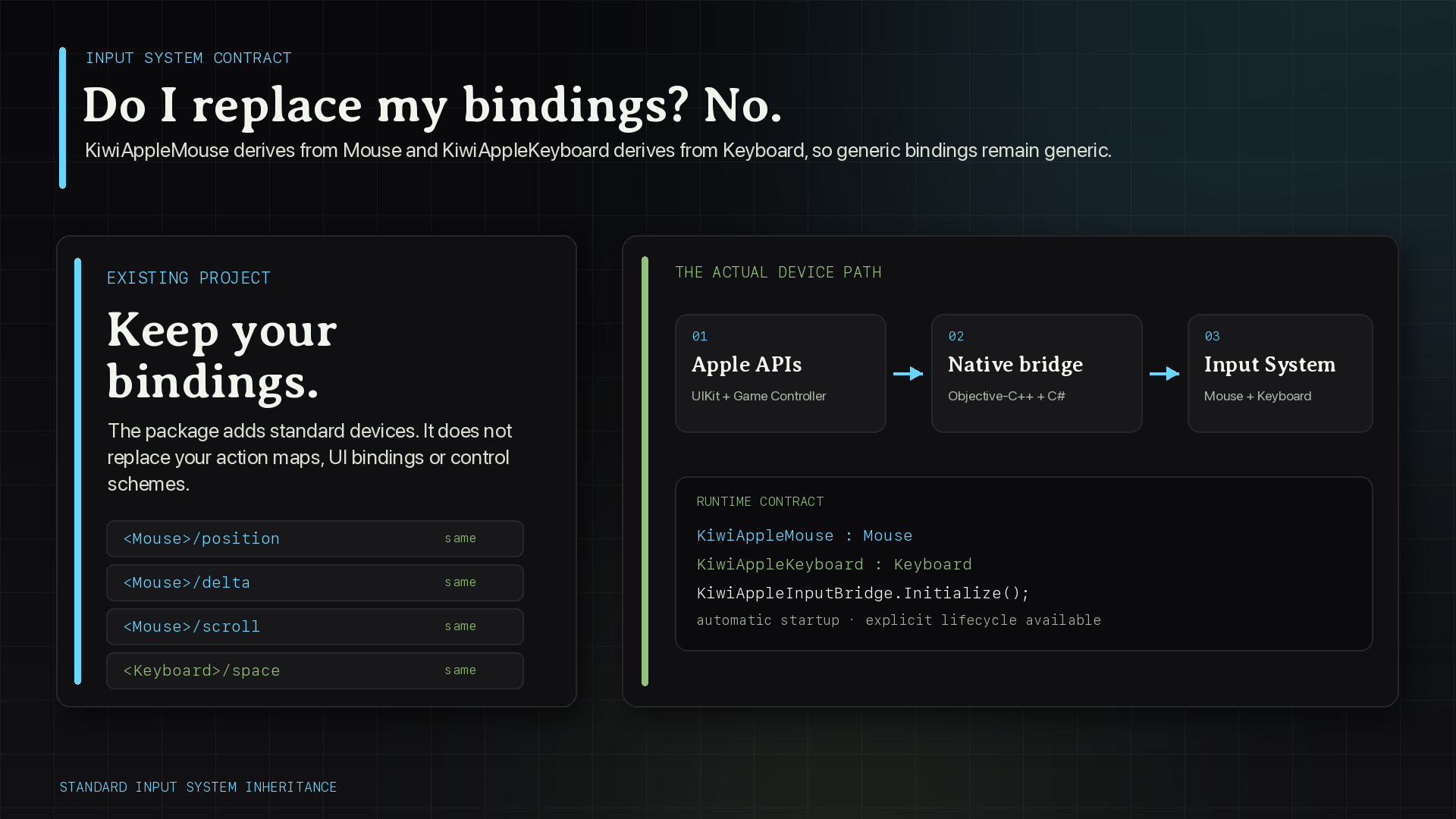
Apple Input Bridge emits ordinary Input System devices so generic <Mouse> and <Keyboard> bindings keep working. Platform capability APIs let your UI explain exactly what each device can do before the player reaches a dead end.
Route Apple hardware-keyboard input into standard Unity keyboard controls without scene-specific glue.
Expose pointer position, delta, buttons, and scrolling through familiar Input System controls.
Support mouse and trackpad input through the operating system's AssistiveTouch path and report that requirement explicitly.
Prefer generic Mouse and Keyboard bindings; use bridge-specific layouts only when an action must exclude other devices.
Apply required indirect-input support, framework linkage, and minimum deployment settings during the iOS postprocess step.
Run a physical-device checklist and export a report with the exact platform, hardware, and observed input state.
one input-system workflow
The bridge handles Apple's native input boundary while gameplay code continues to consume normal Unity actions and controls.
short integration path
Add
net.kiwistudios.appleinputbridge
and keep Input System enabled.
Use your existing Mouse and Keyboard actions wherever possible.
Gate setup instructions and pointer-specific UI on the runtime capability API.
Let the postprocessor configure the Apple project boundary automatically.
Exercise the target device and retain the generated report for support or release evidence.
explicit compatibility
Unity 6000.0.0f1 or newer with Input System 1.8.1 or newer.
iOS and iPadOS 14.0 or newer. Hardware behavior must be validated on physical devices.
Active Input Handling must be Input System Package (New) or Both.
maintained reference
Read compatibility, runtime API, privacy, validation, and troubleshooting guidance before release.